Bridging the Onboarding Gap in ERPNext: A Practical Self-Onboarding Approach
Learn how to enable employee self-onboarding in ERPNext using a practical, HR-controlled approach that reduces manual effort, improves data accuracy, and scales easily.
The Onboarding Challenge Across Industries
Employee onboarding is one of the most critical HR processes across industries. Almost every organization, regardless of size or domain, needs to collect a large set of details from new joiners before their first working day. These typically include personal information, bank details, statutory data, and document uploads.
In many organizations, this information is still collected through Excel or Google Forms and later manually entered into the ERP by HR teams. This leads to:
- Repetitive data entry
- Higher chances of errors
- Increased HR workload
- Delays in employee creation
Naturally, organizations expect their ERP system to support self-onboarding for new joiners, while still maintaining HR verification and control.
The Standard ERPNext Onboarding Flow
ERPNext provides the following standard HR doctypes:
- Job Offer
- Employee Onboarding
- Employee
In the default ERPNext flow:
- HR creates a Job Offer and sends it to the candidate.
- After acceptance, HR creates an Employee Onboarding record and manually fills in the onboarding details.
- HR then creates the Employee record.
Limitation in the Standard Flow
ERPNext does not provide portal access to new joiners before their joining date. As a result:
- New joiners cannot log in to the ERP system
- They cannot fill onboarding details themselves
- HR must collect details externally and enter them manually
This limitation is a very common challenge across industries, especially for organizations onboarding employees at scale.
The Common Requirement Across Industries
Most organizations look for a process where:
- New joiners receive an onboarding form on their personal email
- They can fill all required details themselves
- HR verifies and approves the submitted information
- Employee master data is created with minimal manual effort
- Data accuracy and control are maintained
The Practical & Customized Approach
To address this widely faced problem, a solution was designed using existing ERPNext features, extended through functional customization.
Key Principles
- No core ERPNext code modification
- Reuse of standard doctypes
- HR-controlled verification and approval
- Simple and secure experience for new joiners
Solution Design & Process Flow
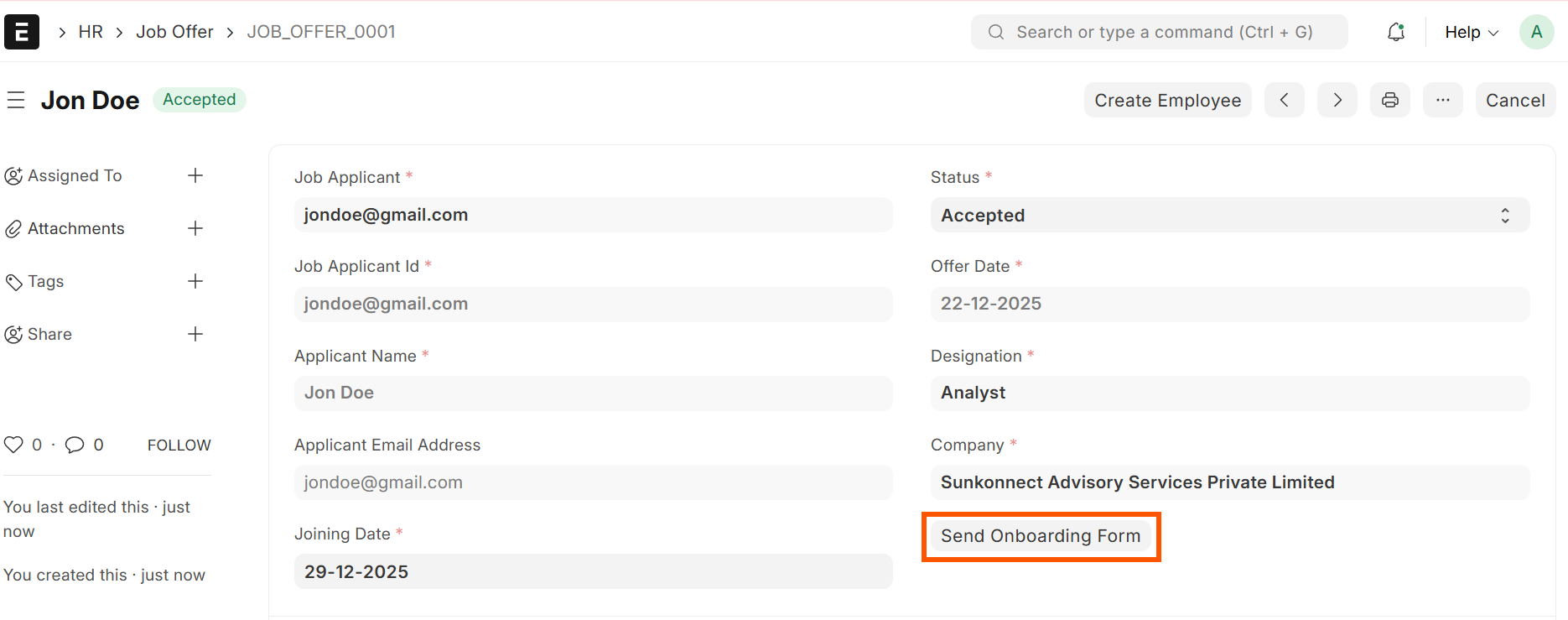
Step 1: Job Offer as the Starting Point
The Job Offer doctype was used as the entry point of the onboarding process.
- Offer letter is sent to the candidate’s personal email
- Once the offer is accepted, the status is changed to Accepted
- Acceptance enables the Onboarding Form button
Step 2: Extending the Employee Onboarding Doctype
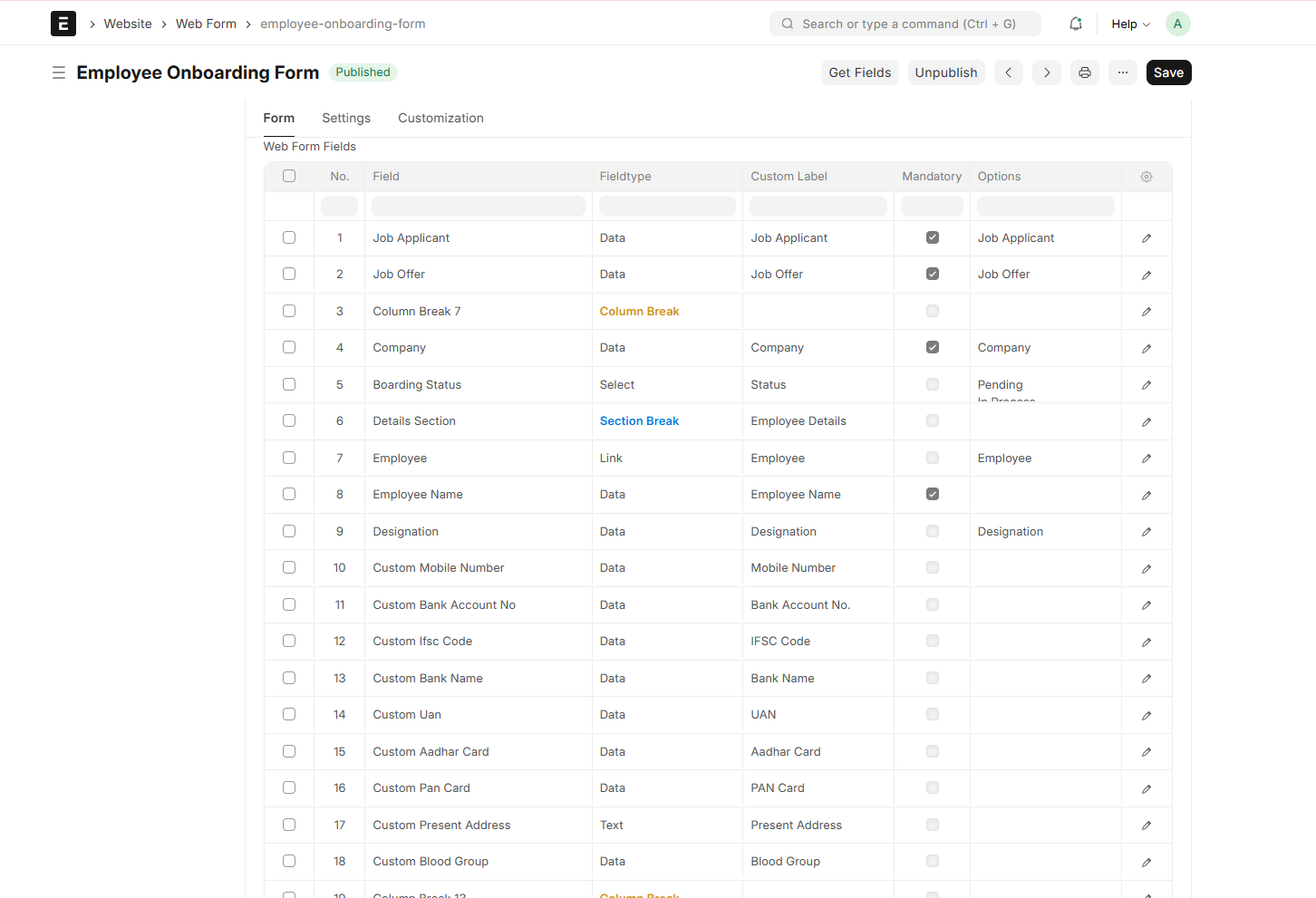
The standard Employee Onboarding doctype was customized to act as a structured onboarding form.
What was done:
- Added custom fields based on a typical industry onboarding form
- Included:
- Personal details
- Address and contact information
- Bank details
- Statutory information
- Document uploads
- All fields were mapped to corresponding fields in the Employee doctype
Step 3: Sending the Onboarding Form to the New Joiner
When HR clicks the Onboarding Form button:
- An email is sent to the new joiner
- The email contains a secure onboarding form link
- The form opens with pre-filled data from the Job Offer
- The new joiner fills in the remaining details and submits the form
🔹 No ERP login or portal access is required for submission.
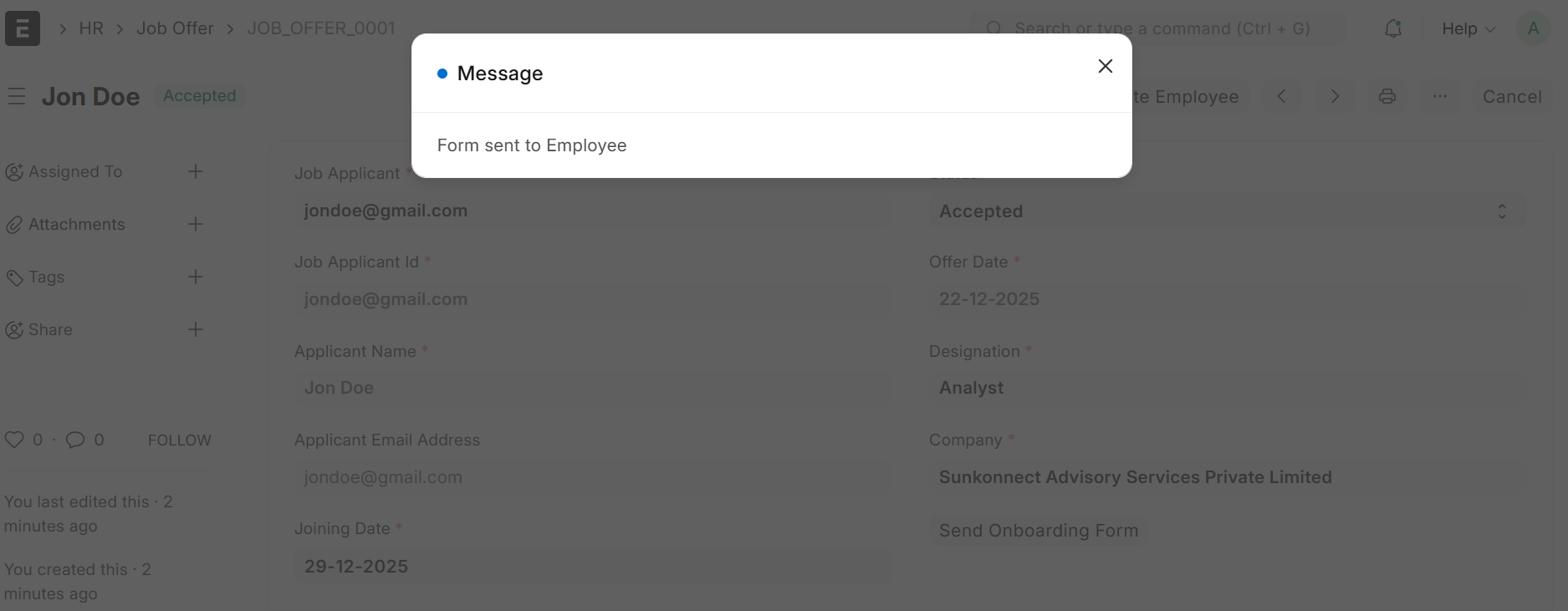
Onboarding email sent with form link
Step 4: HR Verification & Review
After submission:
- The onboarding form is saved in Draft status
- HR reviews and validates the information
- Corrections can be made if required
- Approval ensures data quality and compliance
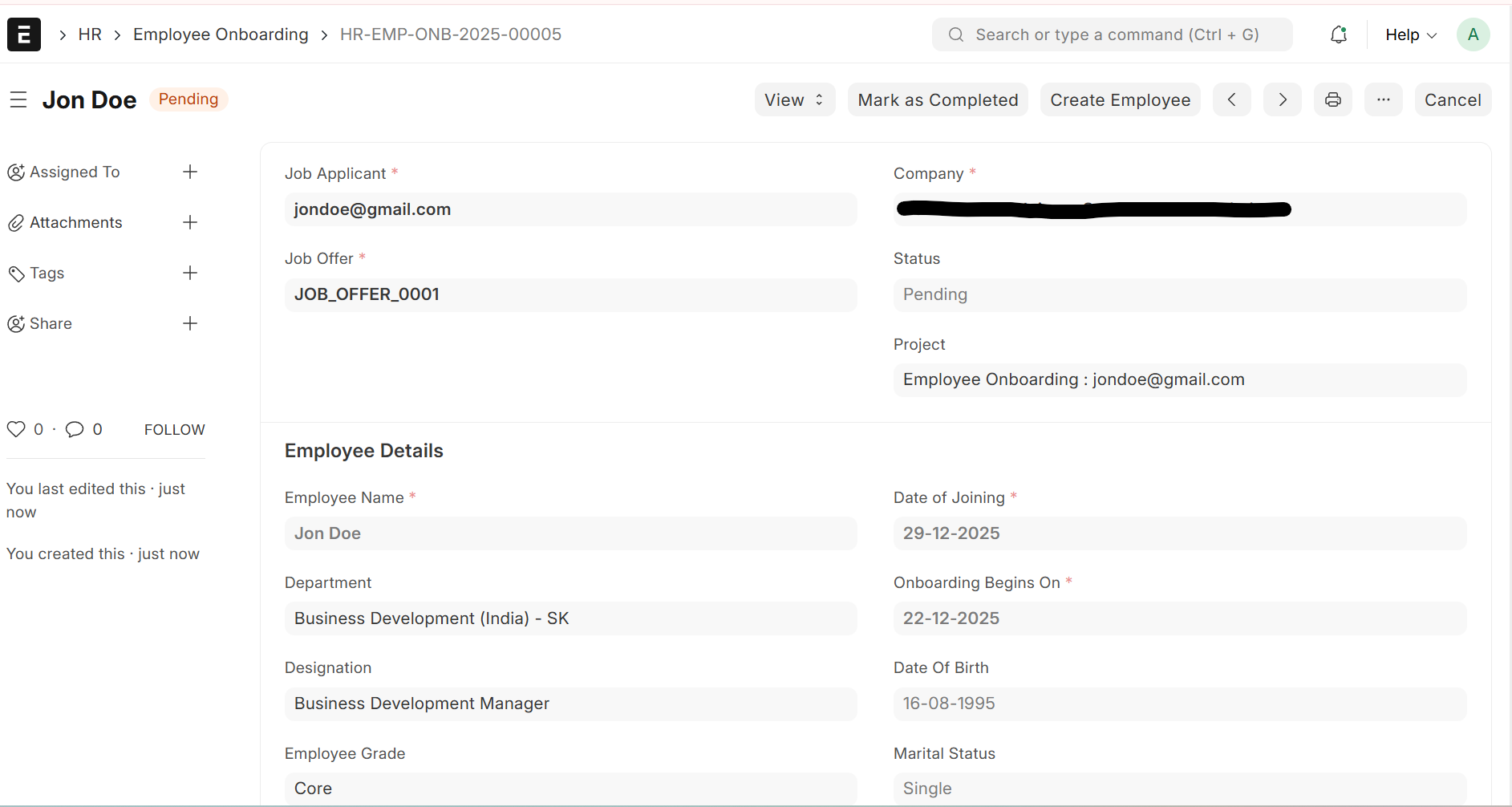
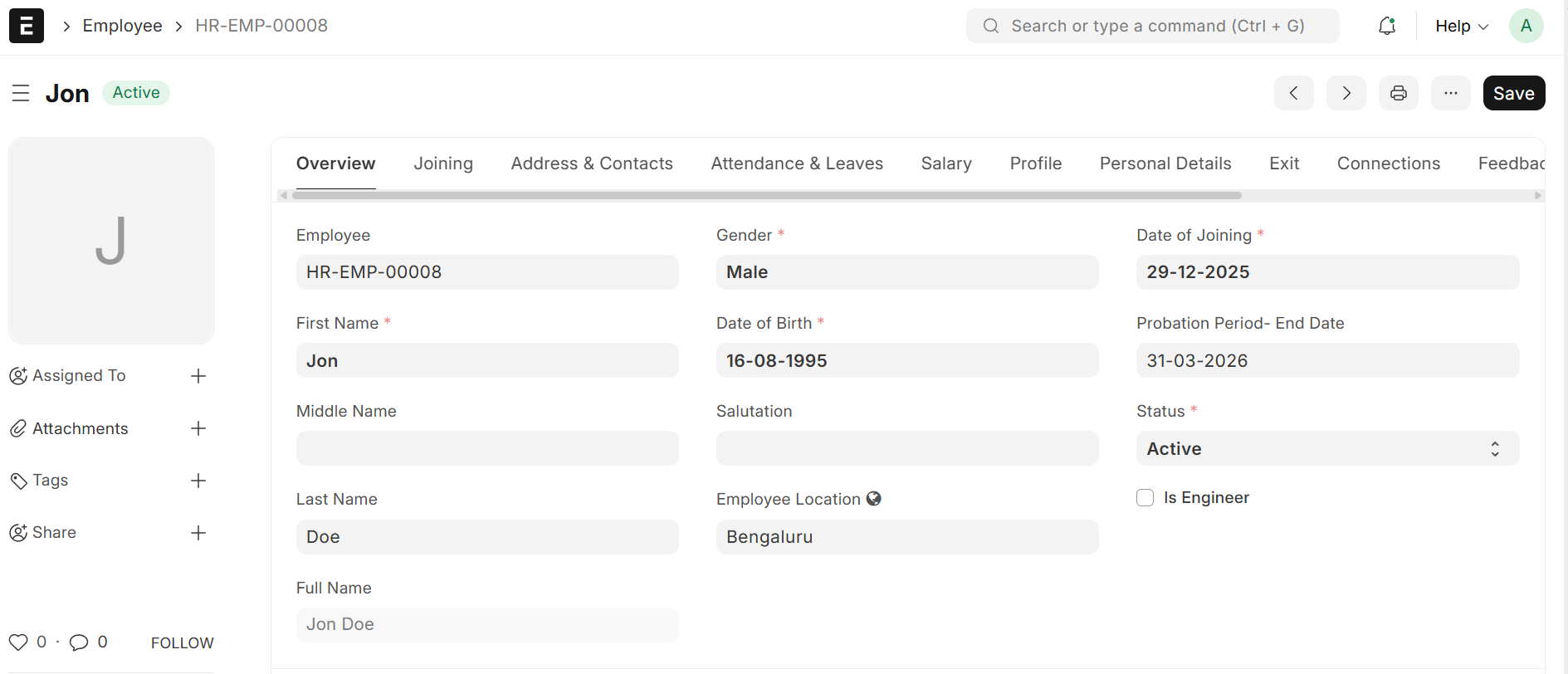
Step 5: One-Click Employee Creation
Once verified:
- HR clicks a single action button
- All onboarding data is automatically pushed into the Employee master
- Manual data entry is eliminated
Design Considerations & Platform Boundaries
While designing this solution, the following ERPNext constraints were considered:
- No native support for external users filling onboarding forms
- Employee Onboarding is designed mainly for internal HR use
- Strong control was required to avoid unverified data entering the Employee master
These challenges were handled using functional extensions, without altering ERPNext’s core behavior.
Outcomes, Benefits & Key Learnings
This approach delivers practical value across industries while staying aligned with ERPNext’s standard design philosophy.
Outcomes & Benefits
- Enables self-service onboarding for new joiners before Day One
- Significantly reduces HR effort and duplicate data entry
- Speeds up employee creation with a streamlined, one-click flow
- Improves data accuracy through structured input and verification
- Maintains a fully controlled, auditable onboarding process
Key Learnings
- ERPNext provides strong flexibility when standard doctypes are extended thoughtfully
- The Job Offer doctype works effectively as a trigger for onboarding workflows
- Early mapping of onboarding data helps avoid downstream corrections
- HR verification remains essential, even in self-service onboarding models
Final Takeaways
Self-onboarding has become a common and essential requirement across industries, especially as organizations aim to improve efficiency and employee experience even before Day One. While ERPNext may not provide a fully automated self-onboarding flow out of the box, it offers strong foundational features that can be thoughtfully extended to meet real-world needs.
This solution demonstrates ERPNext’s flexibility as a platform—allowing organizations to adapt the system to their processes rather than forcing processes to fit rigid workflows. With careful planning and functional customization, ERPNext can support scalable, user-friendly onboarding experiences that reduce manual effort while maintaining governance.
This model can be easily adapted by organizations across domains that are looking to streamline onboarding, improve data quality, and make better use of ERPNext’s existing capabilities.

Pragati Rathore
She is an HR professional with over 6 years of experience and an ERPNext Functional Consultant for the past 2 years, specializing in Frappe HR implementations across multiple domains. She enjoys building practical ERP solutions, staying updated with technology trends, and spending her free time reading, writing, travelling, and bike riding.
No comments yet. Login to start a new discussion Start a new discussion